
Madras High Court DEO Syllabus 2026: Exam Pattern, Skill Test Topics & Qualifying Marks
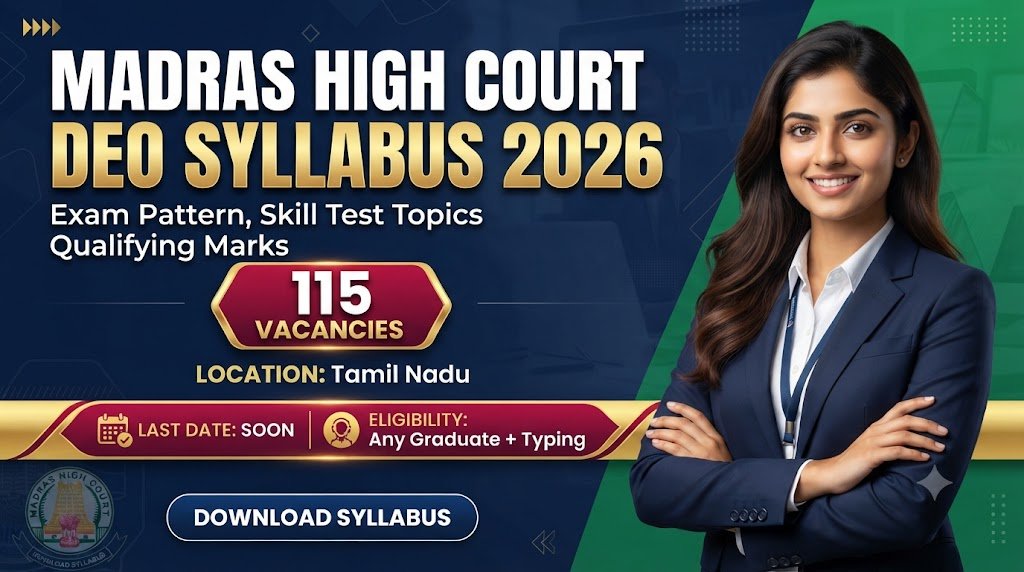
| Organization Name | Madras High Court (MHC) |
| Recruitment Organization | High Court of Judicature at Madras |
| Exam Name | Madras High Court DEO Exam 2026 |
| Total Vacancies | 115 |
| Application Mode | Online |
| Job Location |
All India / Across India (Candidates from all States & UTs Eligible)
Main Campus / Office: High Court of Judicature at Madras, Chennai - 600104
|
| Post Name | Total Posts | Description / Eligibility |
|---|---|---|
| Data Entry Operator (DEO) | 115 | Contractual basis at e-Sewa Kendras across Principal Seat and District Judiciaries. |
- Step 1: Written Test (25 Marks, Minimum Qualifying: 10 Marks)
- Step 2: Skill Test (25 Marks, Minimum Qualifying: 10 Marks)
- Step 3: Viva Voce (50 Marks, Minimum Qualifying: 20 Marks)
- Step 4: Final Selection
| Subject Name | Questions | Marks | Topics List (Comma Separated) |
|---|---|---|---|
| Windows and Linux Basics | - | - |
Basic operating system concepts•
Types of operating systems•
File and folder management•
User accounts and permissions•
Software installation and updates•
Basic Windows and Linux commands
|
| Networking | - | - |
Basic networking concepts•
LAN•
WAN and Wi-Fi•
IP address•
DNS and DHCP•
Switches•
routers and firewalls•
Network cables and connectivity•
Network commands and troubleshooting•
Internet and network security
|
| PDF and Document Handling and Processing | - | - |
Creating and managing documents•
Document types and extensions•
Office and Excel basics•
PDF creation•
conversion•
merging and splitting•
Digital signatures•
File naming•
organisation and security
|
| Video Conferencing | - | - |
Basic video conferencing concepts•
Microphones•
speakers•
cameras and displays•
Audio and video configuration•
WebEx•
Microsoft Teams and other platforms•
Hardware and software video conferencing components and troubleshooting
|
| Hardware Troubleshooting | - | - |
Computer hardware components•
CPU•
RAM•
HDD/SSD and motherboard•
Printers•
scanners and peripherals•
Hardware installation•
Backup procedures•
Fault identification and troubleshooting•
Preventive maintenance
|
| Internet Basics | - | - |
Internet concepts•
Web browsers and search engines•
Websites•
URLs and DNS•
Email and attachments•
Internet connectivity and Wi-Fi•
Cloud services•
Cybersecurity•
phishing•
malware and password security
|
| Subject Name | Questions | Marks | Topics List (Comma Separated) |
|---|---|---|---|
| Practical Computer Skills | - | - |
Scanning and converting documents to OCR•
Conversion of PDF to OCR•
Handling LibreOffice•
Configuring a Local Area Network (IP configurations)•
Hardware troubleshooting and driver installations
|
| Subject Name | Questions | Marks | Topics List (Comma Separated) |
|---|---|---|---|
| Personal Interview | - | - |
Mental Alertness•
Skills and Attitude•
Ethics and Character•
Computer Skills•
Networks•
Databases•
Operating Systems
|
| Link Description | Action Link |
|---|---|
| Official Website Portal | Click Here → |
The Madras High Court Data Entry Operator (DEO) recruitment 2026 has attracted thousands of applicants, and with the examination approaching, candidates need a clear understanding of the syllabus and exam pattern. The selection process for the DEO post at e-Sewa Kendras consists of three stages: a Written Test, a Skill Test, and a Viva Voce. The written and skill tests carry 25 marks each, while the viva voce carries 50 marks, making a total of 100 marks. Candidates must secure the prescribed minimum qualifying marks in the written and skill tests to remain eligible for the subsequent stages.
Exam Pattern at a Glance
The Written Test is worth 25 marks and consists of 25 multiple-choice questions to be answered in 60 minutes combined duration. The minimum qualifying marks are 10. The Skill Test is also worth 25 marks with a minimum qualifying score of 10. It is a practical hands-on evaluation. The Viva Voce carries 50 marks with a minimum qualifying score of 20. Candidates shortlisted in a 1:3 ratio based on the Written-cum-Skill test merit will be invited for the personal interview. Candidates tied in merit are also called for the interview.
Subject-Wise Syllabus for Written Test
The written examination syllabus consists of six major sections related to computer knowledge and practical applications. Candidates should cover each topic mentioned in the official syllabus to prepare comprehensively.
1. Windows and Linux Basics: This section covers basic operating system concepts, types of operating systems, file and folder management, user accounts and permissions, software installation and updates, and basic Windows and Linux commands. Candidates should be comfortable navigating both operating systems, as the DEO role requires working across platforms.
2. Networking: Topics include basic networking concepts, LAN, WAN and Wi-Fi, IP address, DNS and DHCP, switches, routers and firewalls, network cables and connectivity, network commands and troubleshooting, and internet and network security. A solid understanding of how networks function is essential for the e-Sewa Kendra environment.
3. PDF and Document Handling and Processing: This section covers creating and managing documents, document types and extensions, Office and Excel basics, PDF creation, conversion, merging and splitting, digital signatures, and file naming, organisation and security. Given the nature of the DEO role, document processing skills are critical.
4. Video Conferencing: Topics include basic video conferencing concepts, microphones, speakers, cameras and displays, audio and video configuration, WebEx, Microsoft Teams and other platforms, and hardware and software video conferencing components and troubleshooting. With e-Sewa Kendras facilitating virtual hearings and meetings, this knowledge is highly relevant.
5. Hardware Troubleshooting: This section covers computer hardware components, CPU, RAM, HDD/SSD and motherboard, printers, scanners and peripherals, hardware installation, backup procedures, fault identification and troubleshooting, and preventive maintenance. DEOs are often the first line of support for basic hardware issues.
6. Internet Basics: Topics include internet concepts, web browsers and search engines, websites, URLs and DNS, email and attachments, internet connectivity and Wi-Fi, cloud services, cybersecurity, phishing, malware and password security. Awareness of cyber threats and safe internet practices is essential.
Skill Test Syllabus
The Skill Test is a practical hands-on evaluation covering five key areas. Candidates must practise scanning and converting documents to OCR, conversion of PDF to OCR, handling LibreOffice, configuring a Local Area Network (IP configurations), and hardware troubleshooting and driver installations. Since this is a practical test, candidates should spend time actually performing these tasks on a computer rather than just reading about them.
Viva Voce Details
The Viva Voce assesses mental alertness, skills, attitude, ethics, character, and knowledge of computer skills, networks, databases, and operating systems. Candidates should be prepared to answer questions confidently and demonstrate their understanding of the technical aspects of the DEO role. The interview carries 50 marks, with 20 marks required to qualify.
Preparation Tips
Candidates should focus on the written syllabus and practise practical computer skills for the DEO Skill Test. Cover all six written-test topics thoroughly. Practise computer skills such as file management, LibreOffice, and PDF processing. Focus on OCR by practising scanning and OCR conversion. Revise networking by learning LAN setup, IP configuration, and troubleshooting. Practise hardware tasks by reviewing driver installation and basic troubleshooting. Prepare for viva voce by revising computer fundamentals, operating systems, databases, and networking. Regular practice and revision will help candidates perform well in all stages.
Why This Syllabus Matters
The Madras High Court DEO examination is designed to test both theoretical knowledge and practical skills. The syllabus reflects the actual job responsibilities of a Data Entry Operator at e-Sewa Kendras, where candidates will be required to handle documents, manage networks, troubleshoot hardware, and assist in video conferencing. By preparing according to the prescribed syllabus, candidates can ensure they are ready for the challenges of the role. The qualifying marks in each stage ensure that only competent candidates progress to the final selection. Candidates should download the official syllabus PDF and use it as a checklist while preparing.
No comments yet. Be the first to join the discussion!